
Mermaid Flowcharts as Contracts for Agentic Development
3/10/2026
7 minutes readPhoto by Ben Mathis Seibel on Unsplash
Mermaid Flowcharts as Contracts for Agentic Development
3/10/2026
7 minutes readThe Pitfall Everyone Ignores
Most developers treat flowcharts as documentation. Something you draw after the code works, paste into a wiki, and never look at again. Or worse, something you draw during a planning meeting, take a screenshot of, and immediately forget.
This is backwards. A flowchart is not an implementation detail. It is a contract.
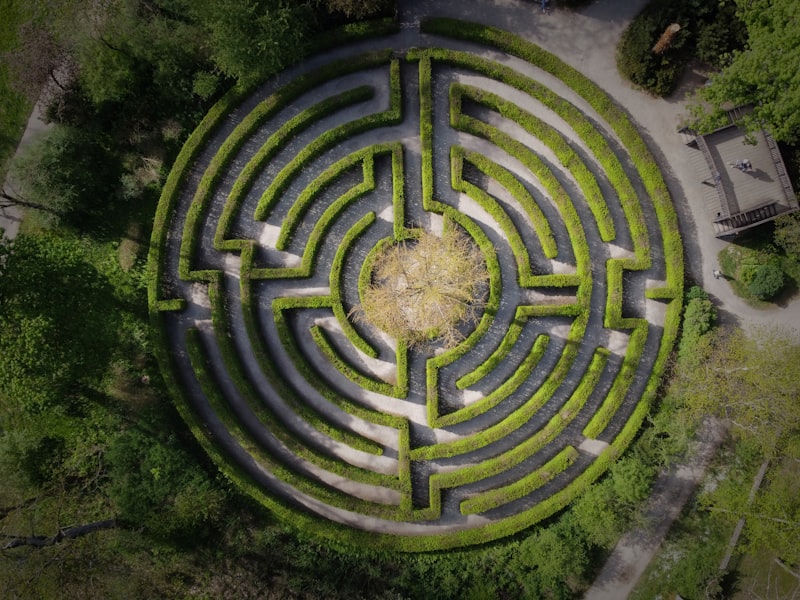
Think of it like a bird's-eye view of a neighbourhood. From street level, you see individual houses, driveways, mailboxes. You can describe your route to the grocery store by listing every turn and landmark. But from above, you see the layout: the grid, the dead ends, the shortcuts, where the park separates residential from commercial. You see the structure.
The street-level view is your code. The bird's-eye view is your flowchart. When you treat the aerial view as a nice-to-have, you lose the one artifact that captures how the system is supposed to work at the highest level. When you treat it as a contract, it becomes the source of truth that your implementation must satisfy.
This distinction matters even more with AI agents. I have watched agents produce perfectly functional code that completely missed the architectural intent. They read the street-level view (individual functions, specific call chains) and made locally reasonable decisions that broke the global design. Without the bird's-eye view, they cannot tell which dead ends are intentional and which are bugs.
Why Mermaid
There are plenty of diagramming tools. Lucidchart, draw.io, Excalidraw, Figma. They all produce visual diagrams. But they share a fatal flaw for agentic workflows: their source format is not human-readable.
A draw.io file is XML. A Figma diagram lives behind an API. An Excalidraw file is JSON with coordinates and bezier curves. None of these can live in a CLAUDE.md file. None of them can be read by an AI agent as part of its context window. None of them can be diffed in a pull request. I tried embedding draw.io exports into project context early on, and the agent ignored them entirely.
Mermaid is different. A Mermaid flowchart is plain text that reads almost like pseudocode:
flowchart TD
  A[User submits form] --> B{Valid input?}
  B -->|Yes| C[Process payment]
  B -->|No| D[Show validation errors]
  C --> E{Payment succeeded?}
  E -->|Yes| F[Send confirmation]
E -->|No| G[Show retry option]You can read this without rendering it. You can paste it into a prompt. You can store it in your codebase and version it alongside your code. When the design changes, you update the diagram in the same commit as the implementation. The contract and the code stay in sync.
This is the key insight. Mermaid diagrams are text-first diagrams. They happen to render beautifully, but their primary value is as readable, embeddable, diffable specifications.
Mermaid for Guiding Agents
When you give an AI agent a Mermaid flowchart as part of its context, you are giving it the bird's-eye view. The agent can see the full decision tree before it writes a single line of code. It knows which branches exist, what each decision node expects, and where the flow terminates.
This changes how agents approach implementation. Without a flowchart, an agent builds linearly. It starts with the first requirement, writes code, hits a decision point, picks a direction, and keeps going. If the requirements are ambiguous, it guesses. If two requirements conflict, it resolves the conflict locally without considering the broader system.
With a flowchart, the agent has a map. It can implement each node independently and wire them together according to the edges. It can verify that every path in the flowchart has a corresponding code path. It can flag when an implementation diverges from the contract.
Class Design
Mermaid class diagrams are equally effective for guiding structural decisions:
classDiagram
  class PaymentProcessor {
      -gateway: PaymentGateway
      +process(order: Order) Result
      +refund(transactionId: string) Result
  }
  class PaymentGateway {
      <<interface>>
      +charge(amount: Money) Transaction
      +void(transactionId: string) void
  }
  PaymentProcessor --> PaymentGateway
  StripeGateway ..|> PaymentGateway
PayPalGateway ..|> PaymentGatewayAn agent reading this knows to create an interface, not a concrete class. It knows the dependency direction. It knows the public surface area. These are decisions that would otherwise require multiple rounds of prompting or correction.
Notice what is not in that diagram. There are no private helper methods. That is intentional.
The diagram is a contract, not an implementation spec. You define the public methods because those are the promises your class makes to the outside world. The private methods are implementation details that serve those promises. An agent is perfectly capable of figuring out that process(order) probably needs to validate the order, calculate totals, and format the request for the gateway. You do not need to spell that out in the diagram.
When you over-specify a class diagram with every private method, every internal state variable, every helper function, you are doing two things wrong. First, you are turning the contract into an implementation plan, which means any refactoring of internals requires updating the diagram. The contract should not break when you change how a promise is fulfilled, only when you change what the promise is. Second, you are constraining the agent unnecessarily. An agent that sees +process(order: Order) Result has the freedom to implement it in the cleanest way possible. An agent that sees a detailed breakdown of six private methods will dutifully create all six, even if three of them could be a single function.
Define the boundaries. Define the relationships. Define the public interface. Let the agent fill in the rest. That is the whole point of having an intelligent collaborator.
Use Case Diagrams
For broader system boundaries, Mermaid use case diagrams establish what actors interact with which features:
graph LR
  Admin((Admin)) --> ManageUsers[Manage Users]
  Admin --> ViewReports[View Reports]
  Admin --> ManageLicenses[Manage Licenses]
  User((User)) --> PlaceOrder[Place Order]
  User --> TrackOrder[Track Order]
  User --> ManageSubscription[Manage Subscription]
  System((System)) --> SendNotifications[Send Notifications]
  System((System)) --> ProcessRenewals[Process Renewals]
  PlaceOrder --> SendNotifications
  ProcessRenewals --> SendNotifications
ManageLicenses -.-> ProcessRenewalsWithout this diagram, I have seen agents add license management UI to the user dashboard because the user has a subscription and "it seemed related." With the diagram, the boundary is explicit: license management is an admin concern, subscriptions are user-facing, and the system handles renewals autonomously. The agent does not need to infer where a new feature belongs because the contract already draws the line.
The dotted edge between ManageLicenses and ProcessRenewals is worth noting. It tells the agent there is a relationship but not a hard dependency. Admin license changes can trigger renewal processing, but renewals also run independently. That kind of nuance is difficult to communicate in prose but trivial in a diagram.
The Effect on Architecture Quality
When you embed Mermaid diagrams in your project context, something subtle happens. You start writing better diagrams because you know they will be consumed by both humans and machines. You make them more precise, more complete, more consistent. You think harder about edge cases because the flowchart exposes them visually.
This feedback loop improves your architecture. The diagram is no longer a decoration. It is a specification that has to be correct because something is going to read it literally and build from it. Ambiguity that a human colleague might resolve with a Slack message will cause an agent to make wrong assumptions. So you eliminate the ambiguity upfront.
There is a deeper principle at work here. Think about what MCP does for tool access. Before MCP, agents had to guess how to interact with external systems. They would hallucinate API endpoints, invent parameter names, assume authentication flows. MCP solved this by giving agents a deterministic protocol: here are the tools, here are their schemas, here is how you call them. No guessing. No inference. A contract.
Flowcharts do the exact same thing for architectural decisions. Without a flowchart, an agent has to infer the system's structure from code. It reads functions, traces imports, builds a mental model, and makes architectural decisions based on that inferred understanding. Sometimes it gets it right. Often it drifts. It adds a feature in the wrong layer. It creates a dependency that violates the intended direction. It solves a problem locally in a way that breaks the global design.
A flowchart eliminates that inference. The decision tree is explicit. The boundaries are drawn. The flow is defined. The agent does not need to guess where a new feature should live or how a new process should flow because the contract already specifies it. You are bringing the same determinism to architecture that MCP brought to tool access.
The result is a codebase where the high-level design is always documented, always current, and always accessible to both human developers and AI agents. The flowchart stops being something you draw once and forget. It becomes a living contract that shapes every implementation decision.
Keeping the Contract Alive
The obvious objection: what stops the diagram from going stale? Code changes, the diagram does not, and now your contract is lying.
The answer is the same discipline you apply to any other contract in your codebase: types, interfaces, API schemas. You update them in the same commit as the implementation. When a PR changes a workflow, the reviewer checks whether the diagram still matches. If it does not, the PR is incomplete.
Mermaid makes this practical because the diagram lives in the same repository as the code. It shows up in the diff. It is reviewable. A draw.io file buried in a Confluence page will absolutely go stale because nobody sees it during code review. A Mermaid diagram in your CLAUDE.md or docs/ directory is visible every time the surrounding code changes.
This is not zero effort. But it is far less effort than re-explaining the architecture to every agent, every time, because the only source of truth is scattered across implementation files.
What Changes in Practice
In my experience, PRs where the agent had class diagrams and use case charts as context needed significantly less back-and-forth before merging. Fewer "move this to a different layer" comments. Fewer "this should be an interface, not a concrete class" corrections. The agent gets the structure right on the first pass because you already told it what the structure is.
The corrections that remain are genuine design discussions, not structural misunderstandings. That is a fundamentally different code review experience.
Start with one. Take the most complex workflow in your current project and draw it as a Mermaid flowchart. Put it in your project's context file. The next time an agent works on that workflow, watch how much less correction it needs.